AICRMAutomationOperations

Grow without hiring. Do more with the team you already have.

Automate everything holding you back.

I build automated lead pipelines, AI receptionists, RFP response systems, database reactivation systems, and custom workflows that work based on the process of your business. Reliable, built for production, not demos that break the first week.

Oraxis AI Solutions is an AI automation agency building n8n workflows, AI agents, and lead systems for small and mid-sized businesses. Founded by Robin Olarte.

Robin Olarte
About

From Doing the Work to Automating the Work

I'm Robin, an AI Automation Specialist from the Philippines. My background spans customer support, sales, social media, e-commerce, and digital operations, giving me a practical understanding of how businesses actually handle customers and their workflows.

I spent years working directly with customers, sales processes, content, and day-to-day business operations. Over time, I saw how much time can disappear into repetitive tasks, manual follow-ups, and disconnected processes.

My experience in customer support taught me how important every step of the customer journey is, from the first interaction to ongoing support and retention. Now I combine that experience with AI and automation to build workflows that reduce repetitive work and make business processes more efficient.

I build with n8n, AI tools, APIs, and business applications to connect processes and automate tasks that would otherwise require constant manual effort. You know your business. I build the systems that help it run more efficiently.

Core Competencies
No-Code AI Workflow Automation Conversational AI Agents Human-in-the-Loop Escalation Design RAG Knowledge Bases & Document Automation Self-Improving AI Feedback Loops AI Call & Conversation Analysis Lead Generation, Nurturing & Pipelines CRM Implementation & Optimization System Integration Architecture Marketing & Social Media Automation KPI Dashboard Design Technical Documentation & SOPs
Workflow Showcase

Systems Built in Production

Real workflows, real numbers. Select a platform, then click any sample to expand the full workflow details.

RFP and tender response automation: answer RFPs from your own history n8n

RFP & Tender Response Automation with a Self-Learning Answer Library

Best forTeams with past proposals sitting in folders.
Problem

Businesses that sell to governments, hospitals, universities, and large corporations can't skip RFPs. Each one takes 40-80 hours: dozens of questions, strict formats, and a hard deadline. Most answers already exist in past proposals, certifications, and case studies, but someone has to hunt through old files and copy-paste them, and the same questions get answered from scratch every time. When deadlines collide, owners burn a week of billable time or pass on the contract.

Solution

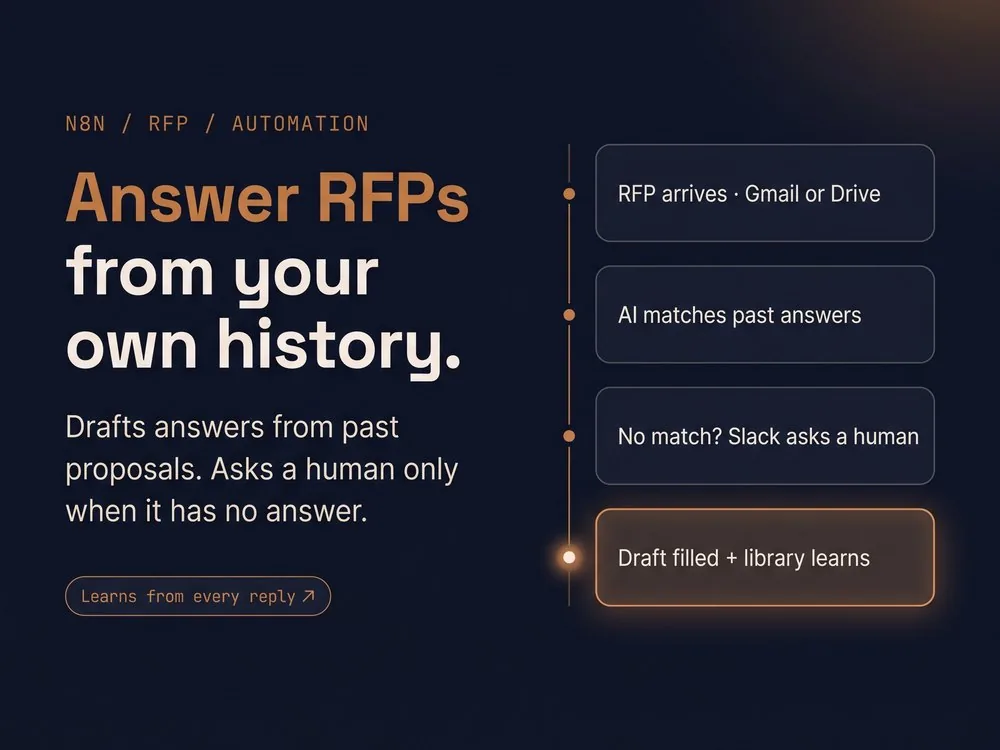
This system handles an RFP from inbox to finished draft. It picks up RFPs from Gmail or a shared Drive folder, filters out duplicates, and reads every document to extract the client, deadline, reference number, and each question with its format limits. Each question is checked against your library of past RFP responses, case studies, certifications, and policies, and when it finds a match, it drafts the answer for you, preferring answers from the same industry. Risky topics like pricing, legal, and compliance are flagged for a human, and so is any question with no matching history. Flagged questions go to Slack as a numbered list. Your team replies with the answers, the system logs each one into the RFP record, and it saves them to the library so the same question never needs a human again. The drafts are filled into the client's original document and your own branded template. The full system runs on 6 connected n8n workflows: knowledge base ingestion, email intake, RFP parsing, answer drafting, document assembly, and a Slack feedback loop.
Highlights
6 workflowsWorking together, 1 shown
Risk-flaggedPricing, legal, and compliance reviewed by a human
Industry-matchedPrefers same-sector answers, falls back to all history
Fills your docsClient's original file + your own template
Format-awareHonors word and page limits
Dupe-proofDuplicate files caught automatically
Slack workflowFlags, replies, and stuck-RFP alerts
24/7 intakeGmail and Drive checked every minute
AutoAnswers drafted from your past RFPs
Human-in-loopAsks you only when history has no answer
Self-learningEvery reply makes the next RFP faster
n8nGemini AISupabase (pgvector)OpenAI EmbeddingsGmailGoogle DriveGoogle Docs APISlack
Lead scraper and automated cold email outreach: find leads, email them, automatically n8n

Lead Scraper + Automated Cold Email Outreach

Best forAgencies and service businesses that need a steady supply of local prospects.
Problem

Finding local business leads is slow, manual work: search Google Maps, open each website, hunt for a contact email, paste it into a spreadsheet, then write and send each email one by one. It eats hours every week, so outreach happens in bursts or not at all.

Solution

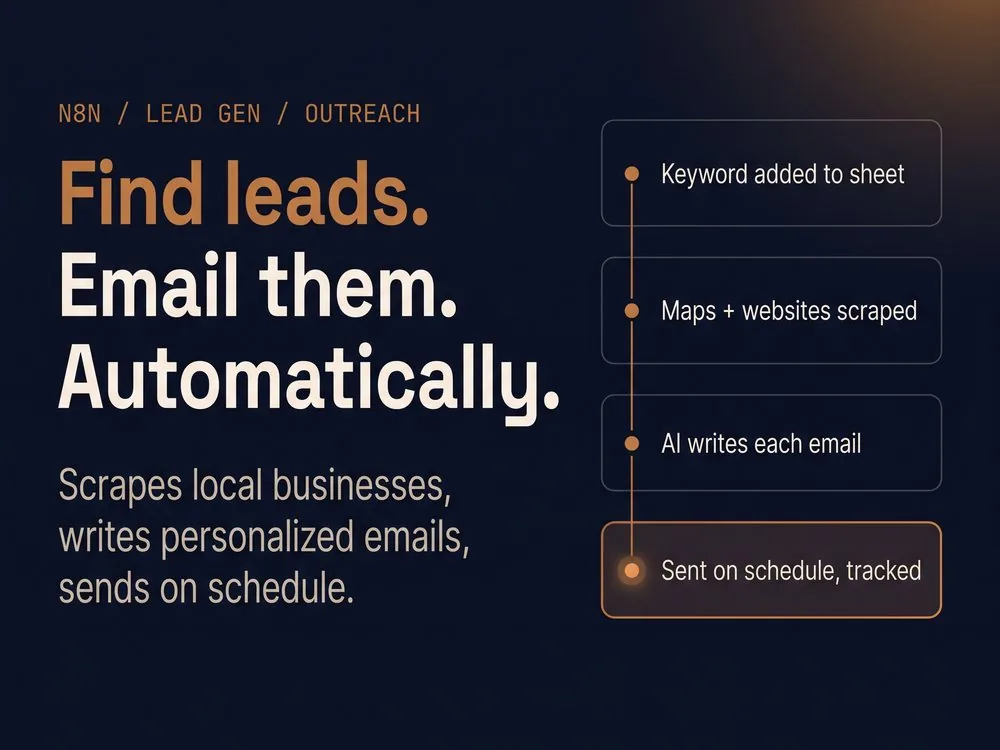
You add search keywords to a Google Sheet, such as “plumbers in Austin”, and the system does the rest. For each pending keyword, it pulls local businesses from Google Maps, then visits each business’s website and checks the homepage and four common contact and about pages for emails. It filters out junk and duplicate email addresses, including businesses already in your list. Valid emails are saved to a lead sheet, businesses with no website go to a separate list, and unreachable sites are logged so nothing disappears silently.

A scheduled sender then works through the list at your desired time. Gemini then writes a short, plain-text email tailored to the lead’s business type, with a varied subject line and a low-pressure close, and Gmail sends it. After each send the lead is marked as emailed, so no one gets contacted twice. You get a notification when a batch finishes and when the list runs out.

Highlights
Hidden emails foundCloudflare, encoded, and mailto addresses decoded
Dupe-proofNever re-scrapes or re-emails the same lead
No-website listSeparate sheet for businesses without a site
Failed-site logUnreachable sites tracked, not lost
Paced sending1-minute gap between emails
Smart greetingsReal first name, or company name when unsure
Plain-text emailsBuilt to avoid spam and Promotions tabs
Batch alertsNotified when a batch ends or the list runs out
Auto-personalizedEvery email written for the lead’s business type
Scheduled sendingCustomizable
n8nSerper (Google Maps)Gemini AIGoogle SheetsGmailJavaScript
Database reactivation: old leads back in your calendar, with AI follow-up over SMS and email n8n

Database Reactivation: AI Follow-Up, Two-Way Replies, and Auto-Booking

Best forBusinesses with an old lead or customer list sitting in a spreadsheet or CRM.
Problem

Every business has a graveyard of leads: people who asked for a quote, went quiet, and were never followed up with. Home services, real estate, dental and med spa clinics, auto dealers, gyms, and insurance agencies all do this. Those people already raised their hand, so they’re far warmer than a stranger, but nobody has time to dig through hundreds of old contacts, write a fresh message to each, and chase replies. The list sits untouched while the business pays to generate new leads.

Solution

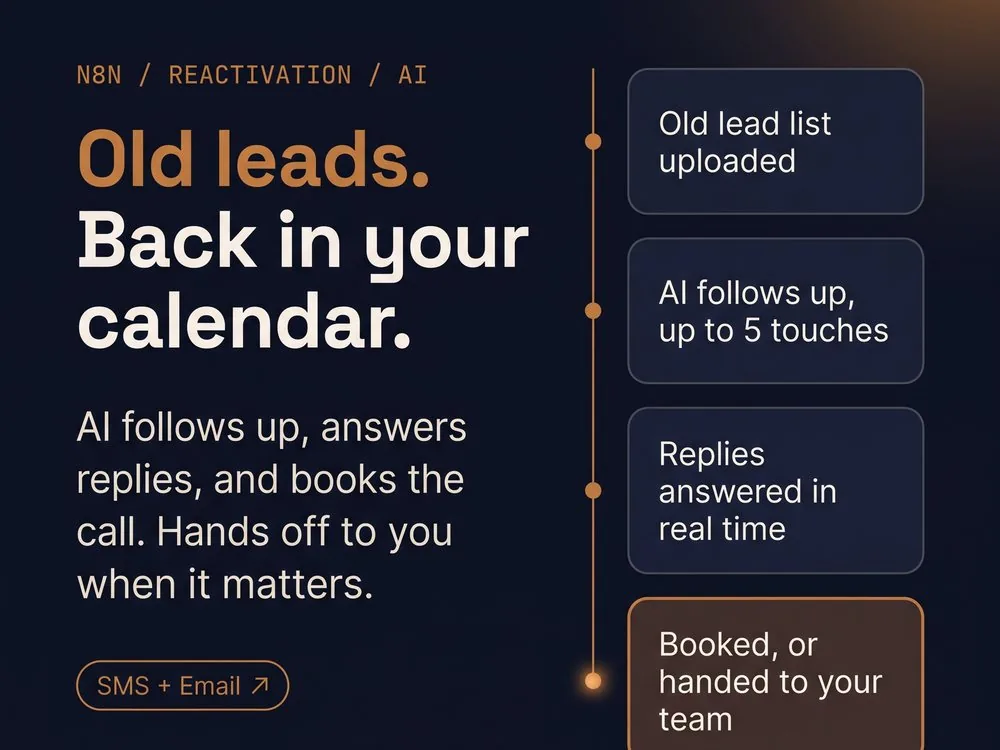
You upload your old lead list, and the system goes to work. It cleans the list, sorts leads by service interest, budget, and how long they’ve been cold, and chooses text or email for each one. It sends AI-written messages that mention what each person originally asked about, then follows up every 5 days, up to 5 touches. When a lead replies by text or email, the AI reads the full conversation, replies naturally, and sends the booking link when they’re ready. Opt-outs like “STOP” are honored immediately. Pricing questions, unhappy leads, and requests for a person trigger an alert to your team with the full context. When someone books, the lead is marked as booked and your team gets an email. All messages are logged, so you can see the whole history for every lead.

Highlights
SegmentedBy service, budget, and how long cold
PersonalizedEvery message references the original inquiry
Stops on replySequence pauses when a lead responds
STOP honoredOpt-outs applied instantly
Intent-awareAI sorts replies into 8 intent types
Auto-bookingBooking link sent, status updated when booked
Human handoffPricing, upset, and “talk to a person” flagged to your team
Privacy-mindedLead names kept out of the AI prompts
Backup AISwitches to a second model if the first fails
Full historyEvery message and reply logged per lead
5-touchFollow-up sequence per lead
2-wayAI reads and answers replies
SMS + EmailBest channel chosen per lead
n8nGemini AIOpenAI (fallback)PostgreSQLTwilio SMSGmailCalendlyGoogle Sheets
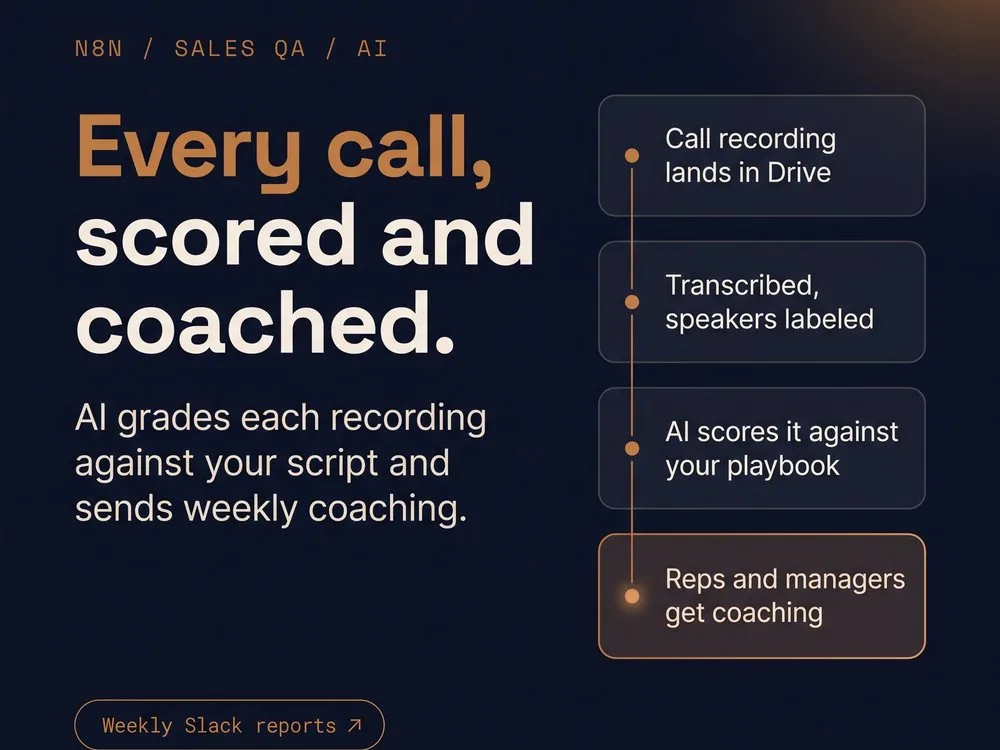
AI sales call QA: every call scored and coached, with weekly Slack reports n8n

AI Sales Call QA: Every Call Scored Against Your Playbook

Best forSales teams, call centers, and agencies that record calls but can’t review them.
Problem

Most sales teams record every call and could barely find the time to listen to most of the recordings. A manager can’t spend an hour listening to a one-hour call, so a handful get reviewed at random while the rest vanish. Reps drift from the script, skip required disclaimers, miss discovery questions, and fumble the same objections, and nobody sees the pattern until deals are already lost. Coaching ends up based on gut feel or whichever call someone happened to hear. This hits sales floors, call centers, and agencies that sell on behalf of multiple clients, where every client has its own script and compliance rules.

Solution

Drop call recordings into a Google Drive folder organized by client and rep, and the system does the rest. Every 10 minutes it checks for new recordings, transcribes each one with speaker labels (rep vs. customer), and pulls that client’s playbook. The AI then grades the call against that playbook: whether the rep used the required opening, asked the required discovery questions, explained pricing correctly, gave the required disclaimers, and attempted to close. It also scores five sales skills from 0 to 10 and identifies the objections raised and how well the rep handled each one. It flags the outcome (won, lost, or follow-up needed) and, for lost calls, the likely reasons why, with evidence from the transcript. Each call gets an overall score out of 100 (40% script compliance, 60% sales skills) and is saved with strengths and improvements.

Once a week, each rep gets a personal Slack summary of their week with strengths, weak spots, common objections, and one focus for next week, and the manager gets a team report with outcomes, average score, top objections, and coaching opportunities. Managers update each client’s playbook by editing a Google Sheet and marking the row “Need to Update”, with no code needed, and the system syncs it within a minute.

Highlights
Script complianceOpening, discovery, pricing, disclaimers, closing
5 skills scoredDiscovery, objections, product knowledge, communication, closing
Objection trackingType, discount asks, and how well each was handled
Loss reasonsWhy lost calls were lost, with evidence
Outcome detectionWon, lost, or follow-up needed
Speaker-labeledTranscripts split into rep and customer
Evidence-basedFeedback tied to what was actually said
Multi-clientA separate playbook for each client
Duplicate-proofNever analyzes the same call twice, retries failures
Failure alertsSlack warning if a call can’t be transcribed
Backup AISwitches to a second model if the first fails
Every call scoredGraded 0-100 against your own playbook
Weekly coachingSlack report for each rep and the manager
Edit in a spreadsheetUpdate scripts and rules, no code
n8nAssemblyAIGemini AIOpenAI (fallback)SupabasePostgreSQLGoogle DriveGoogle SheetsSlack
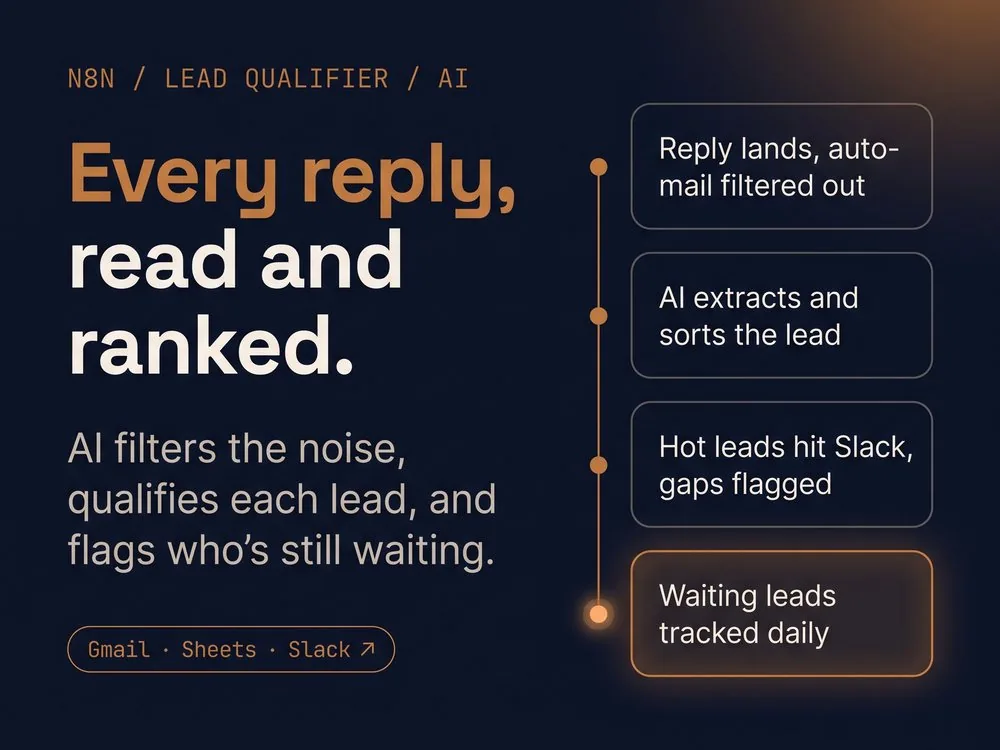
AI lead qualifier: every reply read and ranked, with Slack alerts and follow-up tracking n8n

AI Lead Qualifier with Follow-Up Tracking

Best forBusinesses whose leads reply by email, and sales teams that lose good leads in a busy inbox.
Problem

When leads reply to your outreach or inquiry emails, someone has to sort through everything that lands in the inbox: real replies mixed with bounces, out-of-office notices, and automated mail. Then they have to read each real reply, decide whether the person is worth a call, copy the details into a spreadsheet, and remember who has been answered. In a busy inbox, good replies get buried, qualified leads sit for days, and interested people who gave only half the details get forgotten. Nobody tracks how long a lead has been waiting, so hot leads go cold without anyone noticing. Small teams and solo owners lose deals this way constantly.

Solution

The system checks your inbox every minute. It ignores promotions, newsletters, your own messages, and automated mail like bounces and out-of-office replies, so only real replies reach the AI. It also skips anyone already in your lead list. For each real reply, AI reads the email and pulls out the sender’s name, role, company size, industry, order volume, pain points, decision-making power, and tools they already use. It never guesses: anything not stated stays blank. Then it sorts the reply into one of four outcomes:

  • Qualified: the key details are present and the interest is genuine. The lead is added to your tracker and your team gets a Slack alert with the details.
  • Needs info: genuine interest, but a key detail is missing. Your team gets a Slack alert showing what’s missing, so a person follows up instead of the lead being rejected.
  • Not a fit: a clear mismatch gets a polite decline email.
  • Ignored: unsubscribes, flat rejections, vendor pitches, and spam get no reply at all.

Three more workflows keep leads from slipping. One checks the Gmail thread for each lead to see whether your team has replied, and marks them as responded. One counts how many days each lead has been waiting and posts a Slack list of everyone still waiting. A third posts a summary of new leads and leads still pending.

Highlights
Filters the noiseBounces, auto-replies, and bulk mail never reach the AI
4 outcomesQualified, needs info, not a fit, ignored
Flags the gapsInterested leads with missing details go to you, not the trash
Never guessesMissing info stays blank, not invented
8 details pulledName, role, size, industry, volume, pain points, decision power, tools
Checked every minuteNew replies caught fast
Dupe-proofSkips leads already in your list
Auto-loggedQualified leads saved to your tracker
Polite declineOnly clear non-fits get a decline email
Reply trackingDetects when your team has responded
Days-waiting counterSee how long each lead has sat
Lead summaryNew leads and pending leads, in Slack
AI-qualifiedEvery real reply read, extracted, and sorted
Instant alertsSlack pings your team when a lead needs you
Nothing slipsTracks who’s been answered and flags who’s waiting
n8nOpenAI (GPT-5 mini)GmailGoogle SheetsSlack
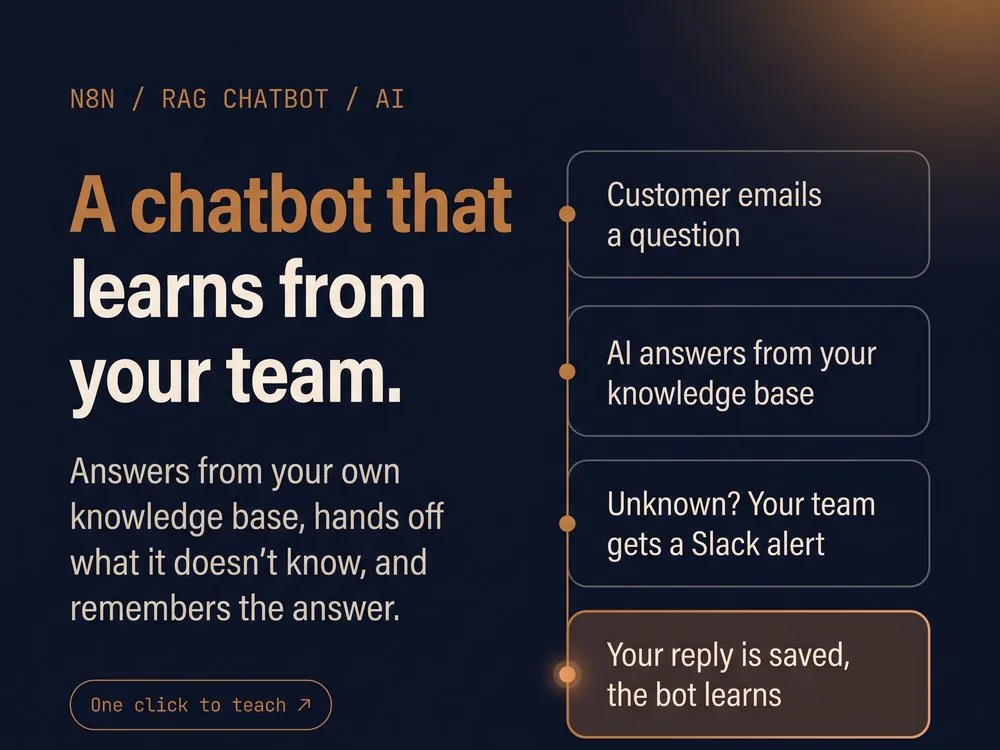
RAG support chatbot that learns from your team: answers from your knowledge base, escalates unknowns, and saves each reply n8n

RAG Support Chatbot That Learns From Every Answer

Best forBusinesses that answer the same customer or lead questions by email, over and over.
Problem

Most small businesses answer the same questions again and again: what they offer, who they work with, how it works, what it costs. Chatbots built to help usually fail in one of two ways. They guess, giving confident wrong answers that cost trust, or they hit something they weren’t programmed for and go silent. Meanwhile the real knowledge lives in the owner’s head and in old email threads, so every question the bot can’t answer gets answered by hand, and gets answered by hand again next time. The FAQ goes stale, and the owner stays the bottleneck.

Solution

An AI assistant monitors your inbox and answers every incoming question using only your own knowledge base: it searches it first and never fills gaps with guesses. It remembers each person’s earlier messages, matches their tone, and replies as a complete, polite email. When the answer isn’t in the knowledge base, it tells the customer it’s checking with the team, alerts your team in Slack with the question and a link to the email, and logs the question in a sheet. If that customer writes again while waiting, they get a holding reply instead of a guess, and the team gets another nudge. Hostile messages get a firm boundary reply.

Here’s how it learns: your team answers the customer directly from Gmail, then reacts with a ✅ on the Slack alert. The system finds your reply, uses AI to rewrite it into a clean, standalone answer with no names or greetings, and adds it to the knowledge base document. Within the hour, the knowledge base is re-indexed, and the assistant resumes answering that customer. The next person who asks the same question gets the answer automatically, so the questions your team has to handle shrink over time.

Highlights
Escalates unknownsSlack alert with the question and email link
Honest holding replyCustomer told you’re checking, not fed a guess
Remembers the conversationContext kept for each sender
Cleans the answerYour reply rewritten as a standalone FAQ entry
No personal details savedNames and emails stripped from new entries
Re-indexes hourlyNew answers live within the hour
Escalation logEvery open question tracked in a sheet
Tone-matchedCasual with casual, formal with formal
Learns from your teamEvery answer you give makes the bot smarter
Never guessesAnswers only from your knowledge base
One ✅ to teachA Slack reaction saves the answer
n8nGemini AIOpenAI (GPT-5 mini, embeddings)Supabase (vector store)PostgreSQLGmailSlackGoogle DriveGoogle DocsGoogle Sheets
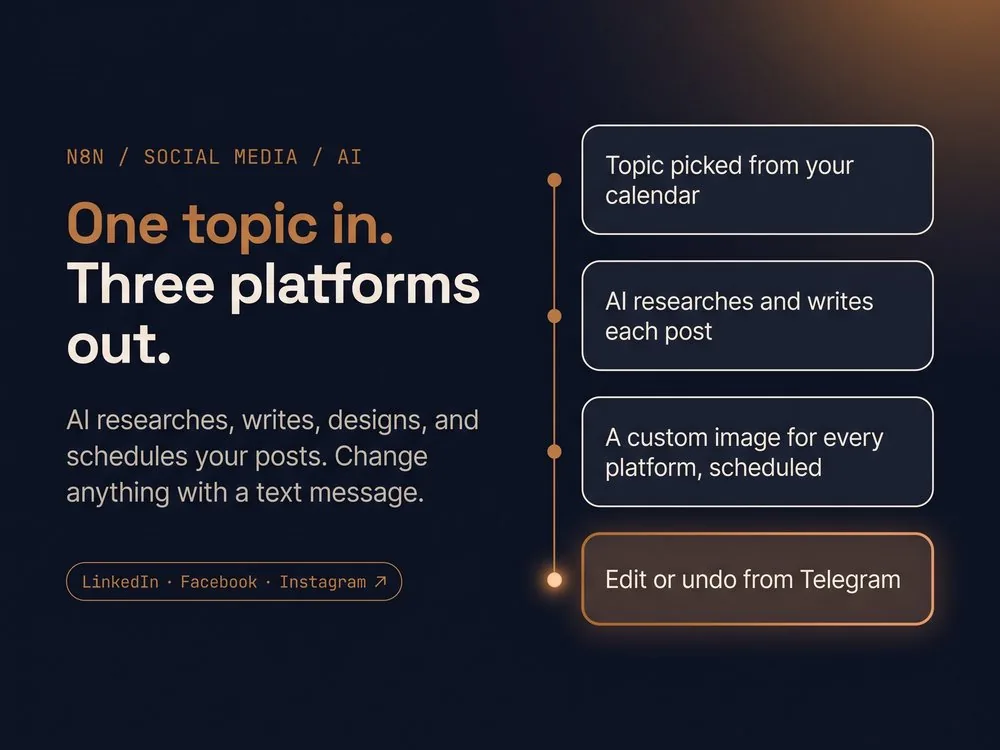
AI social media engine: one topic in, three platforms out, with edits by Telegram message n8n

AI Social Media Engine: Research, Write, Design, Schedule, and Edit by Chat

Best forSmall businesses and solo founders who need a steady LinkedIn, Facebook, and Instagram presence without a content team.
Problem

Consistent social media takes hours every week: finding a topic, researching it, writing a different version for each platform, designing a graphic for each one, resizing for stories, and scheduling everything. Most small businesses either post in bursts and then disappear, or hand it off to a freelancer and get generic content that sounds like everyone else. Even when posts are scheduled, fixing one means logging into a scheduler, rewriting the caption, redoing the image, and hoping you can find the old version if you change your mind.

Solution

You keep a content calendar in Google Sheets. Each run takes the next pending topic and researches it on the web. A random one of five proven copywriting frameworks is chosen, and AI writes a separate post for LinkedIn, Facebook, and Instagram, each in that platform’s voice. AI then designs a custom infographic-style image for each platform in your brand colors, adds your logo, and also turns the Facebook and Instagram images into Stories. Everything is scheduled through Buffer, the calendar is updated, and you get an email with every caption and image link.

If you want a change after it’s scheduled, just text a Telegram bot in plain English: “Rewrite my LinkedIn caption” or “New image for the Instagram post.” The bot works out which platform and which post you mean, regenerates the caption, the image, or both, and updates the scheduled post. It keeps previous versions, so “revert my Facebook caption” rolls it back. If your request is unclear, mixes a revision with a reversion, or doesn’t match a scheduled post, it tells you what to fix. When it finishes, it sends one summary of what changed on each platform.

Highlights
ResearchedEach post starts from live web research
5 copy frameworksVaried structure, not the same template every time
Platform-nativeA separate caption written for each channel
Image per platformA custom infographic for LinkedIn, Facebook, and Instagram
Logo addedYour branding on every image
Stories includedFacebook and Instagram Stories made automatically
Calendar-drivenPulls the next topic from your Google Sheet
Email recapEvery caption and image link, in your inbox
One-step undoRoll any post back to its previous version
Plain-English editsNo forms, just message the bot
Clear error repliesTells you when a request is unclear or can’t be done
Topic to scheduledResearch, writing, images, and scheduling in one run
3 platformsLinkedIn, Facebook, and Instagram, plus Stories
Edit by textRevise or undo scheduled posts from Telegram
n8nGemini AIOpenAI (GPT-5 mini, images)TavilyBufferCloudinaryTelegramGoogle SheetsGmail
Tech Stack

Systems & Technologies

A full-spectrum automation stack covering everything from CRM architecture to AI model integration and beyond.

CRM Platforms

HubSpotGoHighLevelAirtableMonday.comPipedriveClickUpAsana

Automation

ZapierMake.comn8nCalendly

AI & Voice

ChatGPTGeminiClaude AIOpenAIGrokVAPIElevenLabs

Docs & Finance

QuickBooksPayPalWise

E-Commerce

ShopifyeBayEtsy

Comms & Ops

SlackZoomWebhooksTypeformMailchimp
Credentials

Certifications

Verified credentials across the platforms and technologies I work with daily.

16Verified Credentials
3Platforms
100%Links Active
Anthropic

Anthropic

5 credentials
→
✓
Claude 101
April 29, 2026✓ VERIFIED
Verify ↗
✓
Claude Code 101
May 19, 2026✓ VERIFIED
Verify ↗
✓
Introduction to Claude Cowork
August 18, 2026✓ VERIFIED
Verify ↗
✓
Claude Code in Action
August 18, 2026✓ VERIFIED
Verify ↗
✓
AI Fluency: Framework & Foundations
August 19, 2026✓ VERIFIED
Verify ↗
n8n

n8n

5 credentials
→
✓
n8n Quickstart
July 19, 2026✓ VERIFIED
Verify ↗
✓
n8n Essentials: Your First Workflows
July 19, 2026✓ VERIFIED
Verify ↗
✓
Integrations: APIs & Connected Workflows
July 23, 2026✓ VERIFIED
Verify ↗
✓
In Practice: AI, Testing & Best Practices
July 30, 2026✓ VERIFIED
Verify ↗
✓
n8n Foundations Pathway
October 20, 2026✓ VERIFIED
Verify ↗
Zapier

Zapier

6 credentials
→
✓
Account Setup
October 11, 2026✓ VERIFIED
Verify ↗
✓
Building Basic Zaps
October 11, 2026✓ VERIFIED
Verify ↗
✓
Building Intermediate Zaps
October 11, 2026✓ VERIFIED
Verify ↗
✓
What is Zapier MCP?
October 11, 2026✓ VERIFIED
Verify ↗
✓
Using Zapier MCP
October 11, 2026✓ VERIFIED
Verify ↗
✓
Governing Zapier MCP
October 11, 2026✓ VERIFIED
Verify ↗
Services

What I Can Build For Your Business

Specialized expertise across the full automation stack, from CRM architecture to AI-powered workflow design.

01

Lead Generation & Cold Outreach Automation

Find ideal prospects automatically, reach them with personalized AI-written email sequences, and have replies qualified for you.

02

Database Reactivation & Lead Follow-Up

AI follows up with old leads over SMS and email, handles replies in real time, and books calls straight into your calendar.

03

AI Voice, SMS & Chat Agents

Agents that answer calls, qualify leads, and handle support from your own knowledge base, handing off to your team when it matters.

04

RFP & Proposal Automation

Turn around RFPs and proposals in a fraction of the time with AI drafts built from your certifications, case studies, and past answers.

05

Sales Call QA & Conversation Intelligence

Every sales call scored against your playbook, so you catch coaching gaps and missed opportunities without listening to recordings.

06

AI Content & Social Media Automation

Research, write, design, and schedule posts across your channels, with edits handled through a simple chat.

07

CRM Architecture & Optimization

Scalable CRM ecosystems across HubSpot, GoHighLevel, Monday.com, and Airtable built to grow with your business.

08

Recruitment & Hiring Systems

CRM-driven hiring pipelines with automated candidate tracking, scoring, and communication.

09

E-Commerce Operations Automation

Sync inventory, route orders, and automate fulfillment and customer updates across every channel you sell on.

10

Market Intelligence & Competitor Tracking

Always-on monitoring that tracks competitors and industry shifts, delivering AI-summarized briefings straight to Slack.

11

KPI Dashboards & Smart Alerts

Live dashboards pulling from every tool in your stack, plus severity-ranked alerts routed to Slack when something needs attention.

12

AI Workflows & Systems Integration

Map, architect, and connect your tools with AI-powered workflows, custom APIs, and webhooks so your team gets hours back every week.

FAQ

Frequently Asked Questions

Straight answers about how Oraxis AI Solutions works, what it costs to get started, and what to expect.

What does Oraxis AI Solutions do?

Oraxis AI Solutions is an AI automation agency that designs, builds, and supports workflow automations, AI assistants, and custom integrations for small and mid-sized businesses. It fixes the three places most small businesses lose money: slow lead response, manual repetitive work, and inconsistent marketing. The goal is to remove the busywork so you can focus on other aspects of your business and your life.

What can Oraxis automate for my business?

Oraxis builds lead capture and qualification, AI-personalized cold email outreach with safe sending limits, automated lead follow-up, AI social media content, and AI customer support agents that hand off to a person when needed. Any other manual process that eats hours every week, such as data scraping, CRM syncing, reporting, or internal operations, can be automated too.

Which industries does Oraxis work with?

Oraxis builds automations for dental, chiropractic, veterinary, physical therapy, and optometry clinics, med spas, home service contractors (roofing, HVAC, pest control, cleaning), real estate, law firms, insurance agencies, e-commerce stores, online coaches, marketing agencies, recruiting firms, and many more. Businesses outside that list are a fit too if they have repetitive lead-handling or content tasks that can be automated.

How does a project work from start to finish?

Every engagement follows five steps:

  1. Discovery call: understand your current process, tools, and biggest time drain.
  2. Audit: map the manual workflow and find where automation and AI add the most leverage.
  3. Build: design and build the workflow, usually 1 to 3 weeks depending on complexity.
  4. Test and handoff: run alongside your existing process, fix edge cases, and train your team.
  5. Support and iterate: monthly maintenance plan or ad hoc support for monitoring, tweaks, and scaling.
How long does it take to build an automation?

A single-workflow build typically takes 1 to 2 weeks, while larger systems may take 4 to 8 weeks. These are estimates, and some projects can be delivered sooner depending on complexity.

How much does an automation project cost?

Oraxis prices automation as a one-time project with a fixed fee agreed up front. Simple single-workflow builds typically start around $1,500, and multi-step systems like lead generation, database reactivation, or AI support agents typically range from $3,000 to $6,000. Larger builds are quoted individually. After launch, a monthly maintenance plan is optional and covers monitoring, fixes, and updates, typically starting around $500 per month. Book a meeting for an exact quote.

Do I need to replace my CRM or existing tools?

No. Oraxis connects and automates around the tools you already use, such as email, spreadsheets, and your existing CRM. Additional tools are only recommended when they provide a clear benefit.

What if the AI makes a mistake or an automation breaks?

Automations are built with validation, safeguards, and error handling, so a problem is flagged and alerted instead of silently ignored. Where appropriate, workflows include human review or approval before anything client-facing goes out, and every system is tested before launch, including running alongside your existing process where that makes sense.

Will automation replace my staff?

That depends on the scope, but the aim is to remove repetitive tasks so your team can focus on higher-value work like sales conversations and service delivery. Small teams usually benefit most, because they don't have the headcount to absorb manual work.

Is ongoing support available after launch?

Yes. After a project you can either take over the finished automation with documentation so your team manages it in-house, or have it set up directly in your own environment with maintenance documentation. If you prefer a hands-off option, a monthly maintenance plan covers monitoring, error fixes, ongoing improvements, and small changes.

Which automation platform does Oraxis use?

Oraxis primarily builds on n8n for its flexibility, wide integration support, and self-hosting options. Depending on your existing stack, it also works with Google Workspace, GoHighLevel, Make, Zapier, and other tools, rather than forcing every client onto a single platform.

Does Oraxis work with businesses outside the United States?

Yes. Oraxis is based in the Philippines and works with small businesses in the United States and other countries, including Australia. Business hours are Monday to Friday, 9am to 6pm Philippine time (UTC+8).

Contact

Let's Build Intelligent Operational Systems

Helping businesses eliminate inefficiencies through AI, automation, CRM architecture, and scalable workflows. Based in the Philippines.

Email
va.robinvolarte@gmail.com
Phone
+63 976 166 5240
LinkedIn
https://www.linkedin.com/in/robinvolarte/
WhatsApp
Chat on WhatsApp
Location
La Union, Philippines

Ask My RAG Bot

Powered by n8n
Ask me anything, got a repetitive process? Let's see what we can do with it.
Shift+Enter for new line · Enter to send